What Is a Weighted Grade and How Does It Work?
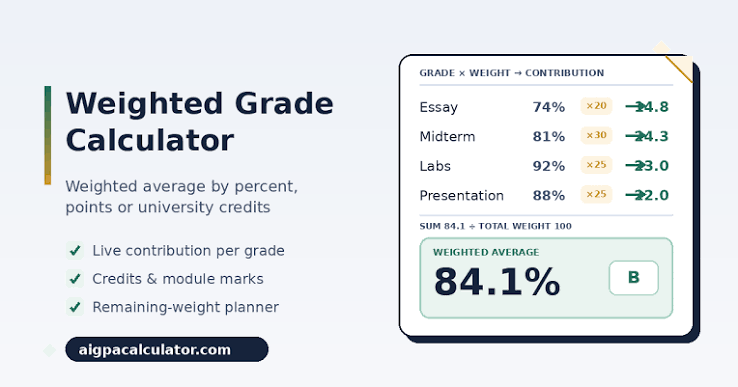
A weighted grade is a calculation method where different assignments or categories contribute different percentages to your final grade, rather than all counting equally . In a simple average, every assignment has the same impact on your final score. But in most real-world grading systems, a final exam carries much more weight than a single homework assignment. For example, a typical course might use a grading structure like this: Homework worth 20% of the final grade, Quizzes worth 30%, Midterm Exam worth 25%, and Final Exam worth 25% . To calculate a weighted grade, you multiply each category score by its assigned weight, then add all those products together . The formula looks like this: Weighted Grade = (Score1 × Weight1) + (Score2 × Weight2) + (Score3 × Weight3) + and so on. A critical step that many people overlook is verifying that all weights add up to exactly 100% . If your weights total more or less than 100%, your final grade calculation will be incorrect. You can easily check this by summing all the weight values. For instance, if your categories are Homework (20%), Quizzes (30%), Midterm (25%), and Final (25%), the sum is 20 + 30 + 25 + 25 = 100%, which is correct. If the total does not equal 100%, you need to adjust the weights before calculating your grade . Understanding this formula gives you the foundation to calculate your weighted grade manually or with a spreadsheet.
How to Calculate Weighted Grades in Google Sheets or Excel
Spreadsheets like Google Sheets and Microsoft Excel are excellent tools for building a weighted grade calculator that updates automatically as you enter new scores. The most efficient method uses the SUMPRODUCT function, which multiplies corresponding values in two arrays and returns the sum of those products . To set up your calculator, start by creating three columns: Assignment Category, Score (%), and Weight (%) . Enter your categories in the first column, your percentage scores in the second column, and the corresponding weight for each category in the third column. For example, Homework might have a score of 85% and a weight of 0.20, while the Final Exam might have a score of 92% and a weight of 0.40 . Before calculating, always verify that your weights sum to 100% by using the SUM function on the weight column . Once your data is entered, use the SUMPRODUCT formula to calculate your final grade in a single cell: =SUMPRODUCT(B2:B5, C2:C5), where B2:B5 contains your scores and C2:C5 contains your weights . This formula multiplies each score by its corresponding weight and adds all the results together automatically. If you prefer a step-by-step approach, you can create a fourth column for Weighted Score and use the formula =B2*C2 for each row, then sum the weighted scores at the bottom . The SUMPRODUCT method is cleaner and less prone to errors, making it ideal for tracking your grades throughout the semester. As you receive new scores, simply update the Score column, and your weighted grade recalculates instantly .