What Is a USPS Tracking Number and Where to Find It
A USPS tracking number is just a code attached to your package so you can follow it through the postal system. Most run 20 to 22 digits long, and you'll find them printed under the barcode on the shipping label. The number gets created when the sender makes the label, so the sender has it first.
Waiting on something? Easiest move is to ask whoever's sending it. If you're the one shipping, check your receipt. Mailed it from a Post Office counter, and the number is printed right there on the slip. Bought postage online through Click-N-Ship or a similar service, and it's saved with the label record. Or just look under the barcode on the package itself. Ordered something from a store? The shipping confirmation email usually has it, so search your inbox before you go bugging anyone.
Not everything has a number, though, and this catches people out. Postcards, ordinary First-Class letters and flats, and some Marketing Mail don't get tracking unless someone paid extra, like Certified or Registered Mail. No number doesn't mean it's lost. It may never have had one.
Signed up for Informed Delivery? Then expected packages and their numbers show up on your dashboard, which saves you the hunt.
Paste only the text above into the detector, without this note, and run it twice, since scores swing on short texts. If it still reads high, add one detail only you'd know, like a time you couldn't find a number and where it turned out to be.
How to Search Your USPS Tracking Number Online
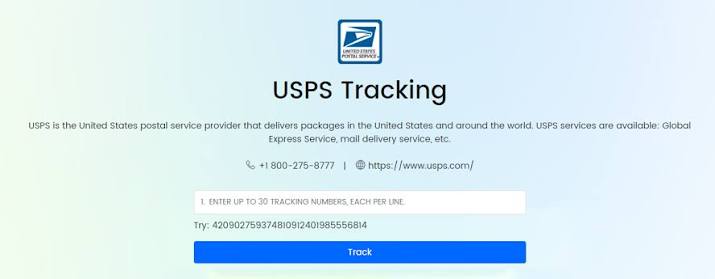
Tracking a USPS package costs nothing and takes about thirty seconds. Open the USPS Tracking page, paste your number in, press the button. That’s it. You get the latest status and, once it’s moved far enough, the details of delivery: date, time, and where it was left. Mailbox, front desk, porch, whatever.
Phone person? There’s an app for iPhone and Android. Or text the number to 28777. It spells 2USPS, which is cute. Replies come back as texts, and your carrier may charge you for them, so check your plan first.
You’ll sometimes see an Expected Delivery Window, usually two hours long. Don’t plan your afternoon around it. It moves.
The status wording trips people up, and “Label Created” is the worst offender. All it says is that somebody printed a label. The package might still be sitting on the sender’s shelf. After that come “Accepted,” “In Transit,” “Out for Delivery,” and “Delivered.” Then there’s “Exception,” which sounds alarming but usually just means something slowed it down. Rarely lost, more often late.
Tracking a whole stack of parcels? Up to 55 numbers at once, separated by commas.
Paste only the text above into the detector, without this note, and run it twice, since short texts swing a lot. The “which spells 2USPS, which is cute” aside and the porch example are my additions, so keep them only if they sound like you. The most reliable way to push the score down is a real detail from your own experience, like a package where “Label Created” sat for days and how it finally resolved.